Your workspace, working.
Quooro Workspace, shown below exactly as it runs today. It is working now on Windows and Android. Mac, for the Mac App Store, and iPhone, for the App Store, are in testing.
- Windows
- Operational
- Android
- Operational
- Mac
- In testing
- iPhone
- In testing
Watch it work.
Recorded on the Windows build. Four pages side by side in one window, and below, the rest of what it can do, clip by clip.
Split viewFour pages, one window
01
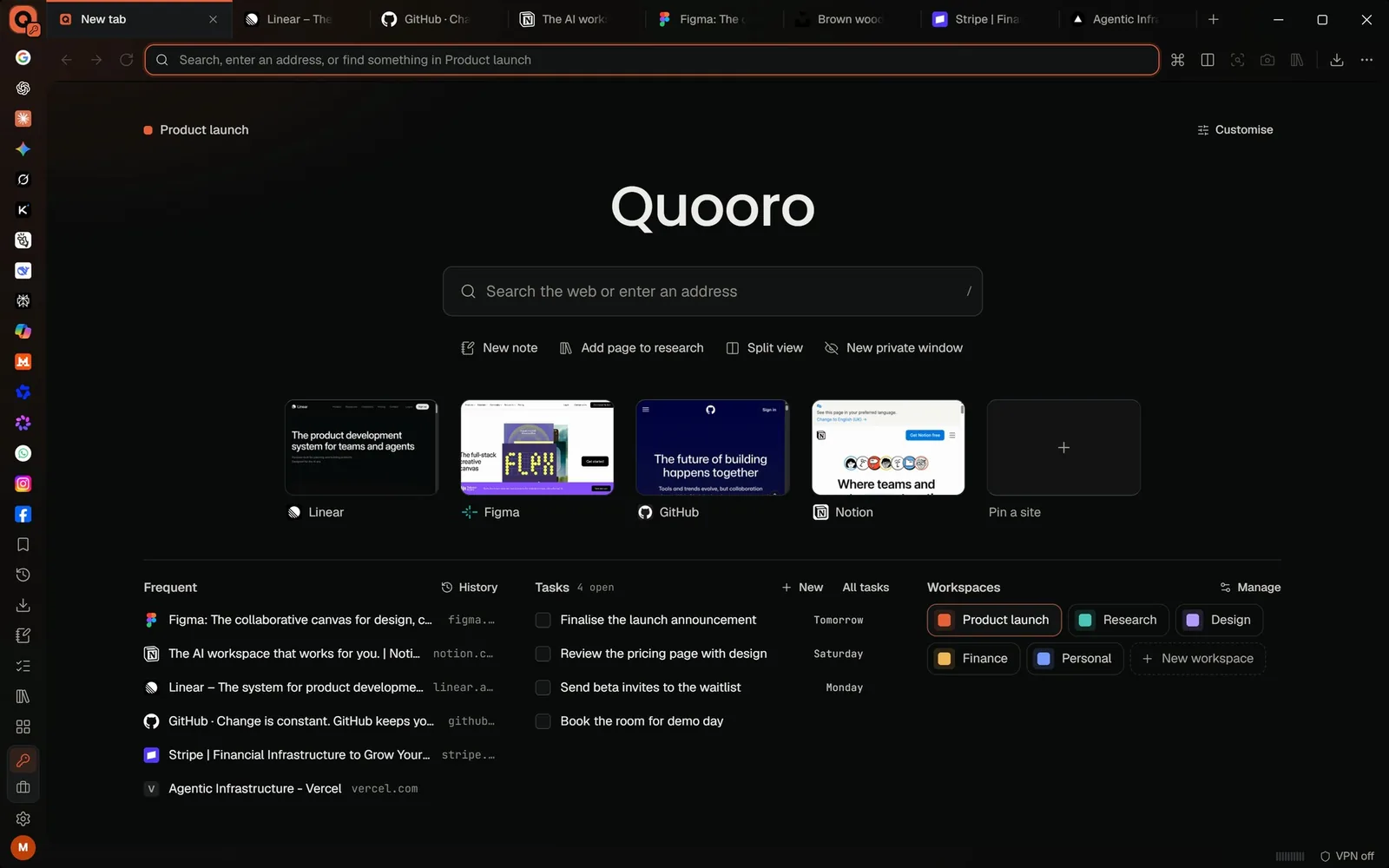
Every new tab starts somewhere useful
Search, the sites you have pinned, what you visit most, your open tasks and your workspaces, on one page.
02
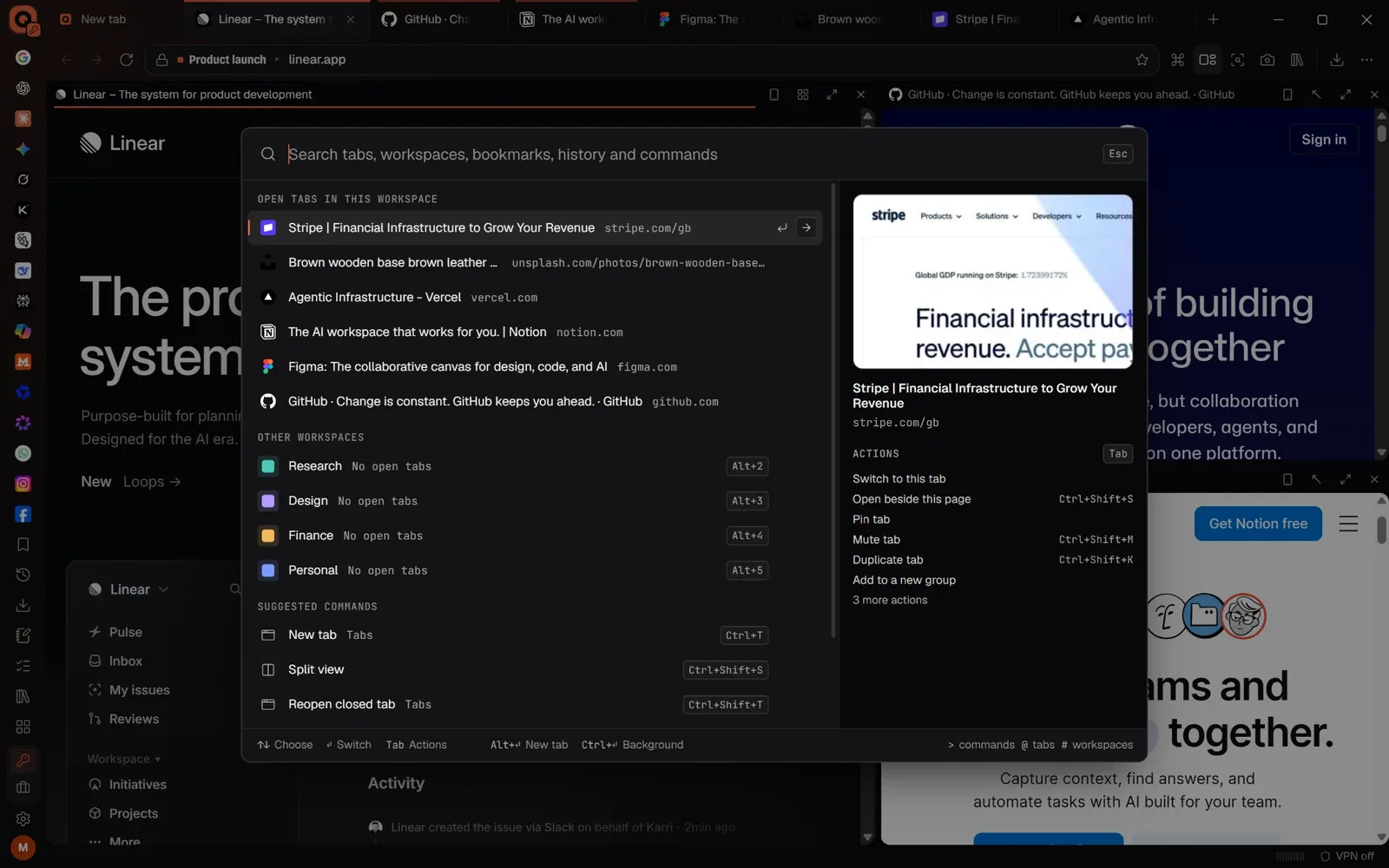
One search for everything
Open tabs, workspaces, bookmarks, history and commands from one box, with pages split side by side behind it.
03
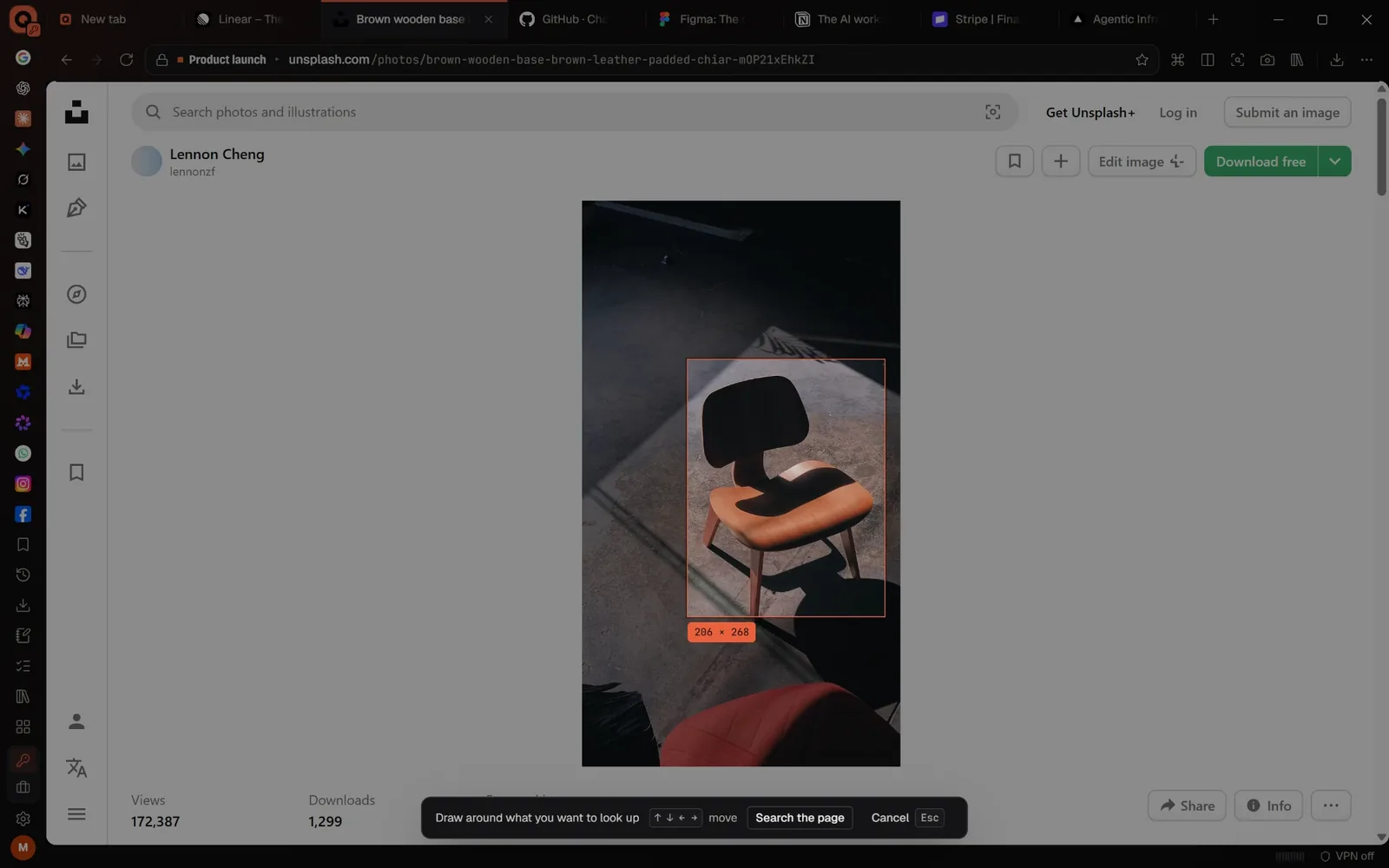
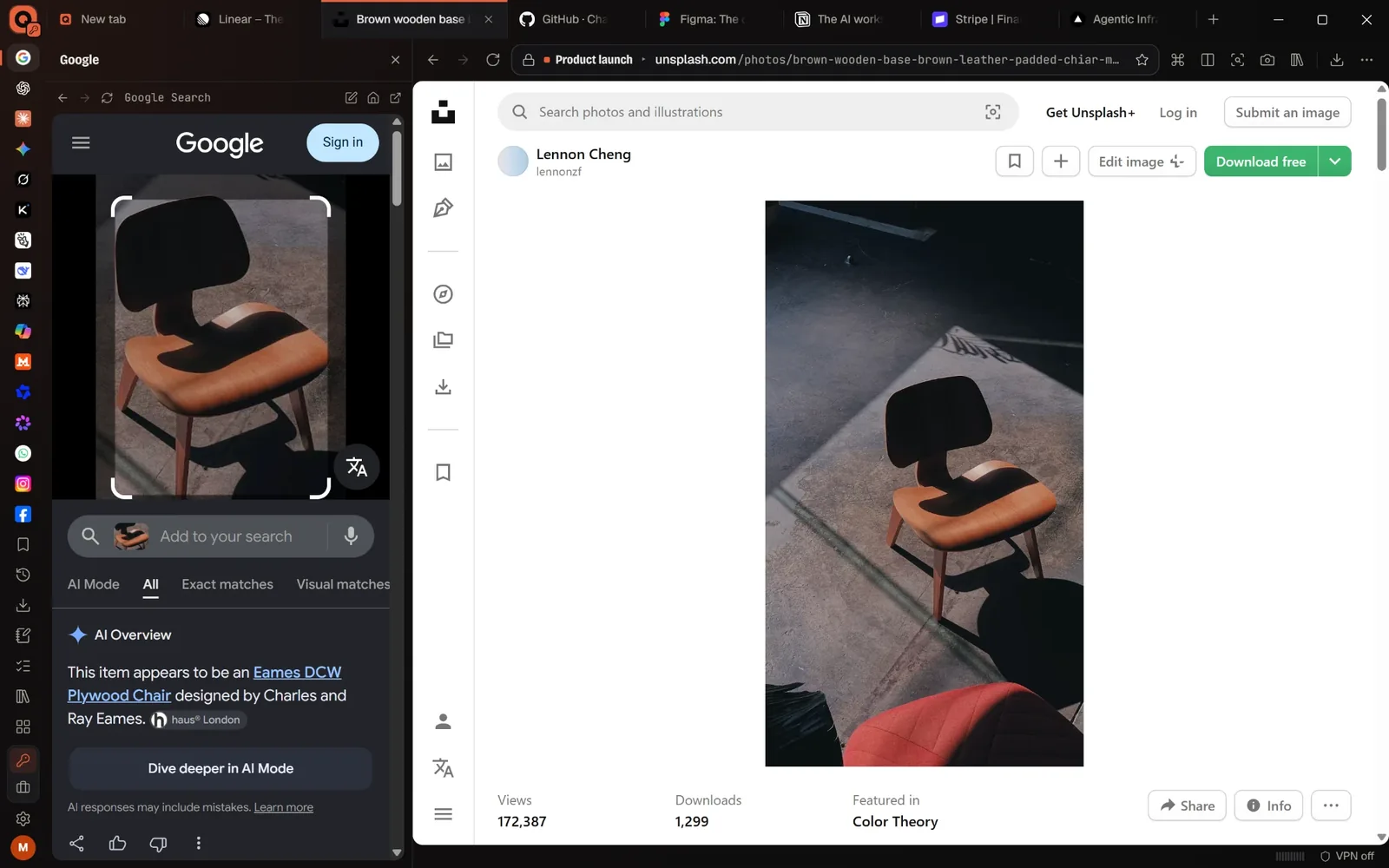
Circle it, and the answer opens beside it
Draw around anything on a page to look it up. The result opens in the sidebar, next to the page you were on.
04
AI beside whatever you are reading
Ask ChatGPT in the sidebar about the page you are on, without leaving it.
Stills from the app
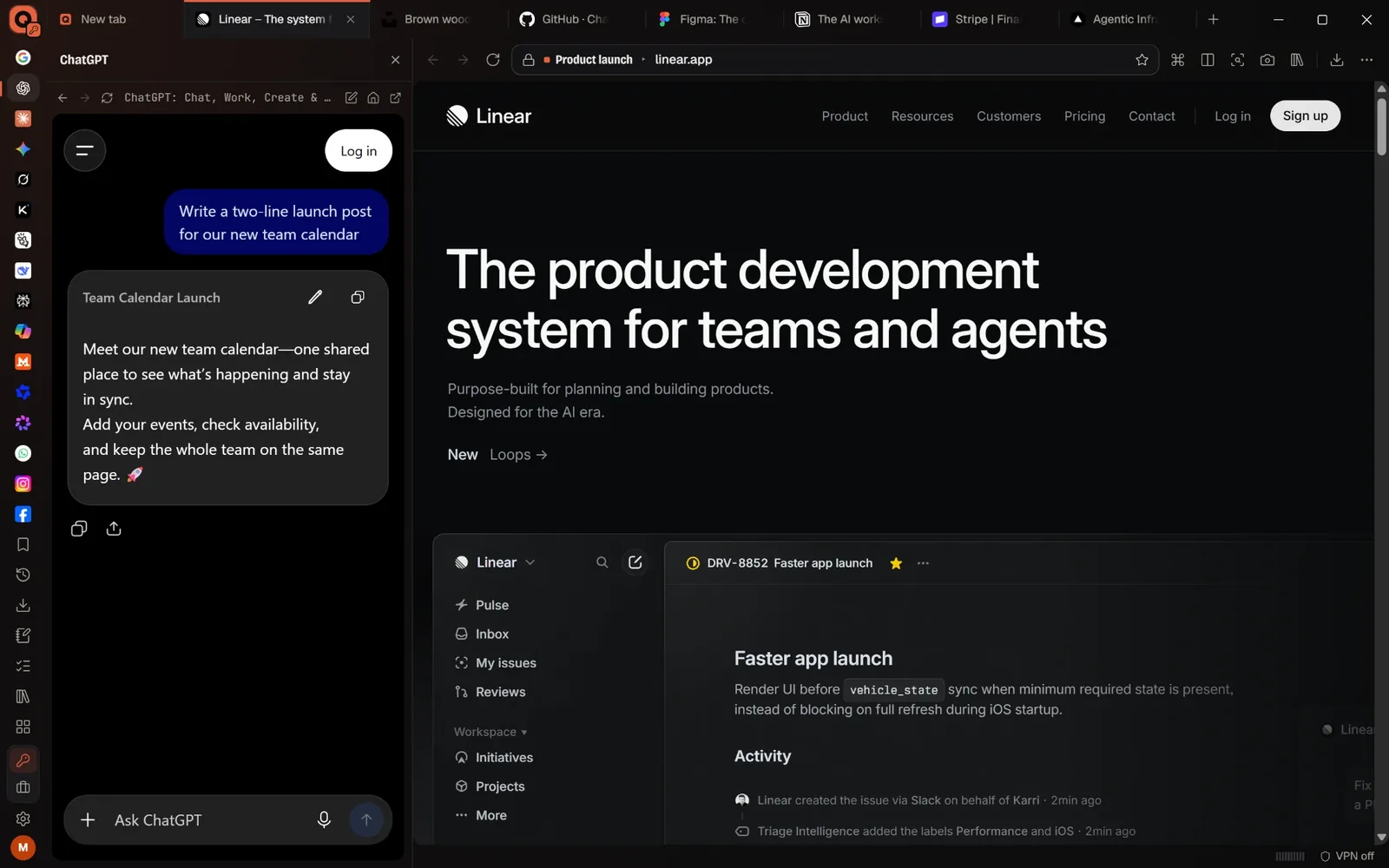
Organised by workspace
One window, every job in its place.
Each workspace keeps its own tabs. Your tasks, with their due days, and the pages you visit most are on every new tab, next to the workspaces themselves.
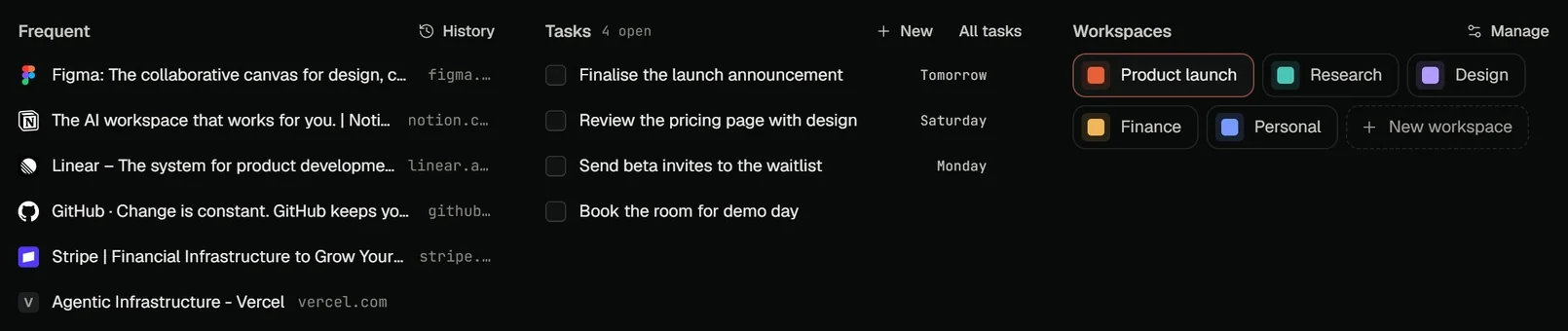
From the new tab, as it is today · swipe to see it all
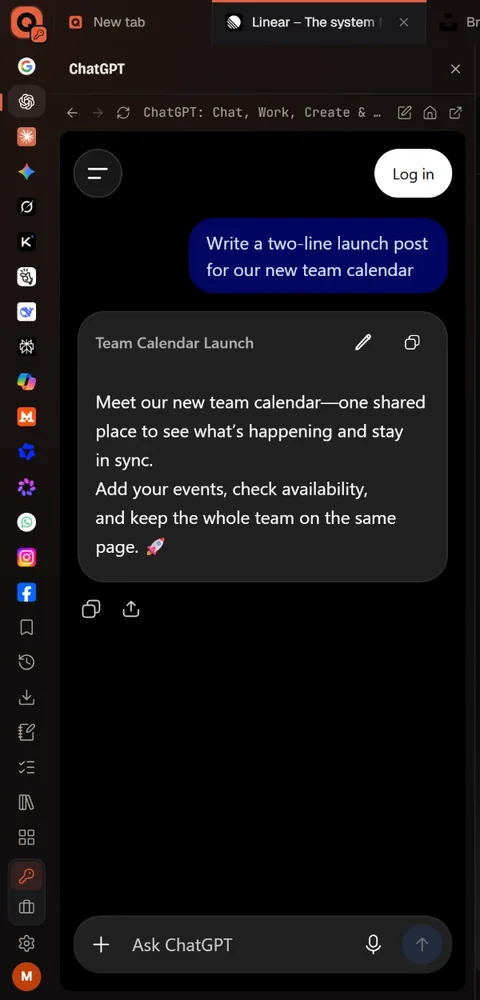
The sidebar
Your sites, down the side.Open beside the page.
The sites you use most sit in a column down the left edge. Open one, ChatGPT or Google or any of the others, and it opens in the sidebar next to what you are doing, so you never have to leave the page to use it.
Keyboard first
Everything is a keystroke away.
One box searches your tabs, workspaces, bookmarks, history and commands, and the commands you use most have a shortcut. These are the ones it shows today.
Where it is
Working on Windows and Android. Mac and iPhone in testing.
01Operational
Windows
Working today. The build recorded on this page.
02Operational
Android
Working today, on the phone. Heading to the Play Store.
03In testing
Mac
Being tested for the Mac App Store.
04In testing
iPhone
Being tested for the App Store.
Quooro Workspace needs a Quooro account. Everything it shows is your own data.
Connects to your Quooro account
Pair it by scanning a code and approving it on a phone that is already signed in. It reads today’s tasks and what is owed, never changes anything, and one button in your account settings disconnects it.
How pairing worksMore about Quooro Workspace
Working on Windows and Android today, with Mac and iPhone in testing. When a build is published here it appears with its version and date.